.png)

Thinking about a home project? Whether you're just dreaming or ready to start, Houzz has some really handy free tools that can help. You know, the kind of stuff that makes planning way less of a headache. From getting ideas to making a real plan, Houzz offers a bunch of free resources to get you going. And if you're a pro, they've got business tools too. Let's check out what's available.
Key Takeaways
- Houzz offers a suite of free tools to help you plan and manage home projects, from inspiration gathering to creating checklists.
- Use the Houzz Style Quiz and Cost Calculator to define your vision and estimate expenses for your project.
- Organize your ideas and products using Houzz Ideabooks and the Chrome Extension for saving inspiration from the web.
- Houzz Pro provides business management features for design and construction professionals, including client collaboration and project execution tools.
- Professionals can attract clients, manage finances, and integrate Houzz Pro with existing business software for a smoother workflow.
Unlock Houzz Free Project Planning Tools
Getting a home project off the ground can feel like a big task, right? You've got ideas swirling, maybe a Pinterest board overflowing, but how do you actually make it happen without losing your mind? Houzz gets it. They've put together a bunch of free tools designed to take the guesswork out of planning your next renovation or design project. Think of it as your personal project assistant, available anytime.
Get Inspired With Houzz
Before you can plan, you need to know what you want. Houzz is a goldmine for visual inspiration. You can browse millions of photos of completed projects, from tiny bathroom makeovers to full-scale kitchen renovations. It's not just about pretty pictures, though. You can save anything that catches your eye – photos, specific products, even potential contractors – all in one place.
Make A Plan With Houzz Tools
Once you've got a feel for what you like, it's time to get practical. Houzz offers tools to help you.
- Define Your Style: Ever feel like you can't quite put your finger on your design style? Take the Houzz Style Quiz. It asks simple questions and helps you pinpoint your aesthetic, which is super helpful when talking to designers or picking out finishes.
- Estimate Costs: Home projects can get expensive fast. Houzz has a cost calculator that gives you a ballpark idea of what similar projects cost in your area. It's not exact, but it's a good starting point for budgeting.
- Organize Ideas: All those saved photos and product links need a home. Houzz Ideabooks let you create different collections for different rooms or project types. You can even add notes to each item.
Get It Done With Houzz Checklists
Planning is one thing, but execution is another. Houzz provides checklists to guide you through the process. These aren't just generic to-do lists; they're broken down into logical steps for different kinds of projects. You can use them as is or customize them to fit your specific needs. It’s a great way to make sure you don't forget important steps, like getting permits or scheduling inspections.
These free tools are designed to simplify the entire process, from the initial spark of an idea to the final walkthrough. They aim to reduce surprises and keep you on track.
Using these free resources can really make a difference in how smoothly your project goes. It helps you feel more in control and less overwhelmed by the whole thing.
Houzz Free Resources For Defining Your Vision
Sometimes, figuring out exactly what you want for your home project can feel like trying to nail jelly to a wall. That's where Houzz steps in with some really helpful free tools to get your ideas sorted. It’s not just about pretty pictures; it’s about turning those dreams into a workable plan.
Utilize The Houzz Style Quiz
Ever scroll through Houzz and think, "I like that, and I like that, but what is that style?" The Style Quiz is designed to help you pinpoint your aesthetic. It asks you a bunch of questions and shows you images, and based on your choices, it gives you a clearer picture of your design personality. This quiz is a fantastic starting point for understanding your own taste. It helps you move beyond just liking random things to identifying a cohesive look you'll love long-term.
Estimate Project Costs With Houzz
Knowing what something might cost is a big deal. Houzz offers a cost calculator that gives you a general idea of expenses for different types of projects in your area. It's not a precise quote, of course, but it’s super useful for setting a realistic budget early on. You can look up costs for things like kitchen remodels, bathroom updates, or even landscaping. This helps prevent sticker shock later.
Here's a general idea of what you might find:
Costs vary widely based on location, materials, and project scope.
Organize Inspiration With Ideabooks
This is where all those saved photos and ideas come together. Your Ideabooks are like digital scrapbooks for your project. You can create different books for different rooms or aspects of your project – like "Dream Kitchen" or "Backyard Oasis." It’s a great way to keep everything organized and easily accessible. You can even add notes to specific photos or products. If you're working with a designer or contractor, sharing your Ideabooks gives them a direct look into what you're envisioning. It really helps get everyone on the same page before any work begins. You can even save ideas from across the web, not just from Houzz itself, making it a central hub for all your project inspiration. This is a key part of planning your home renovation.
Getting your vision clear upfront saves a lot of headaches down the road. It means fewer changes, less confusion, and a better chance of ending up with a space you truly love.
Streamline Your Project With Houzz
Keeping a home project on track can feel like juggling chainsaws, right? You've got ideas flying everywhere, materials to order, and a schedule that seems to have a mind of its own. Houzz gets it. They've put together some tools to help you get a handle on all the moving parts.
Manage Your Project Dashboard
Think of your project dashboard as your central command center. It's where all the important stuff lives – your plans, your budget, your to-do lists, and any notes you've made. It’s designed to give you a clear overview of where things stand at any given moment. No more digging through emails or scattered papers to find out what's next.
Create Your Product List
When you're browsing Houzz and find that perfect light fixture or the exact tile you've been dreaming of, you can add it straight to your product list. This isn't just a wish list; it's a practical tool for keeping track of what you need, how much it costs, and where you found it. You can even manage order statuses right from this list, which is pretty handy.
Save From The Web With Houzz Extension
Ever stumble upon a great idea on another website – maybe a cool DIY hack or a specific brand of paint? The Houzz Chrome extension lets you grab that inspiration with a single click and save it directly into your Houzz project. It’s like having a digital scrapbook that automatically organizes itself, pulling everything into one place so you don't lose those little gems of ideas.
Discover Houzz Pro For Business Management
Running a business in the home renovation and design world can get pretty hectic. You're juggling client meetings, project timelines, and, of course, the money side of things. That's where Houzz Pro steps in, aiming to simplify all of that.
Houzz Pro Software For Design Pros
For design professionals, Houzz Pro offers tools specifically built to handle the unique demands of your projects. Think of it as your digital assistant, helping you manage everything from initial concepts to final invoicing. It's designed to streamline your workflow so you can focus more on the creative aspects and less on the administrative headaches. You can get a good overview of what it offers on the Houzz Pro software page.
Houzz Pro Tools For Construction
If you're in construction, Houzz Pro has a robust set of features tailored for your trade. This includes managing bids, tracking project expenses, and keeping your team on the same page. It's about making sure projects stay on track and within budget, which is no small feat in the construction industry. The platform helps with things like:
- Estimating project costs accurately
- Managing contracts and licenses
- Tracking equipment and inventory
- Keeping daily logs of site progress
The goal is to provide a single source of truth for all your project data, reducing errors and improving communication across the board.
Houzz Pro Business Management Features
Beyond specific project tools, Houzz Pro provides broader business management capabilities. This means you can get a clearer picture of your company's overall health. It helps you organize your leads, manage your finances, and even build a professional online presence. Some key features include:
- A central dashboard for a quick business overview
- Tools for creating professional proposals and invoices
- Features to help attract and manage new clients
- Integration with other software you might already use, like QuickBooks and Gmail.
Enhance Client Collaboration With Houzz Pro
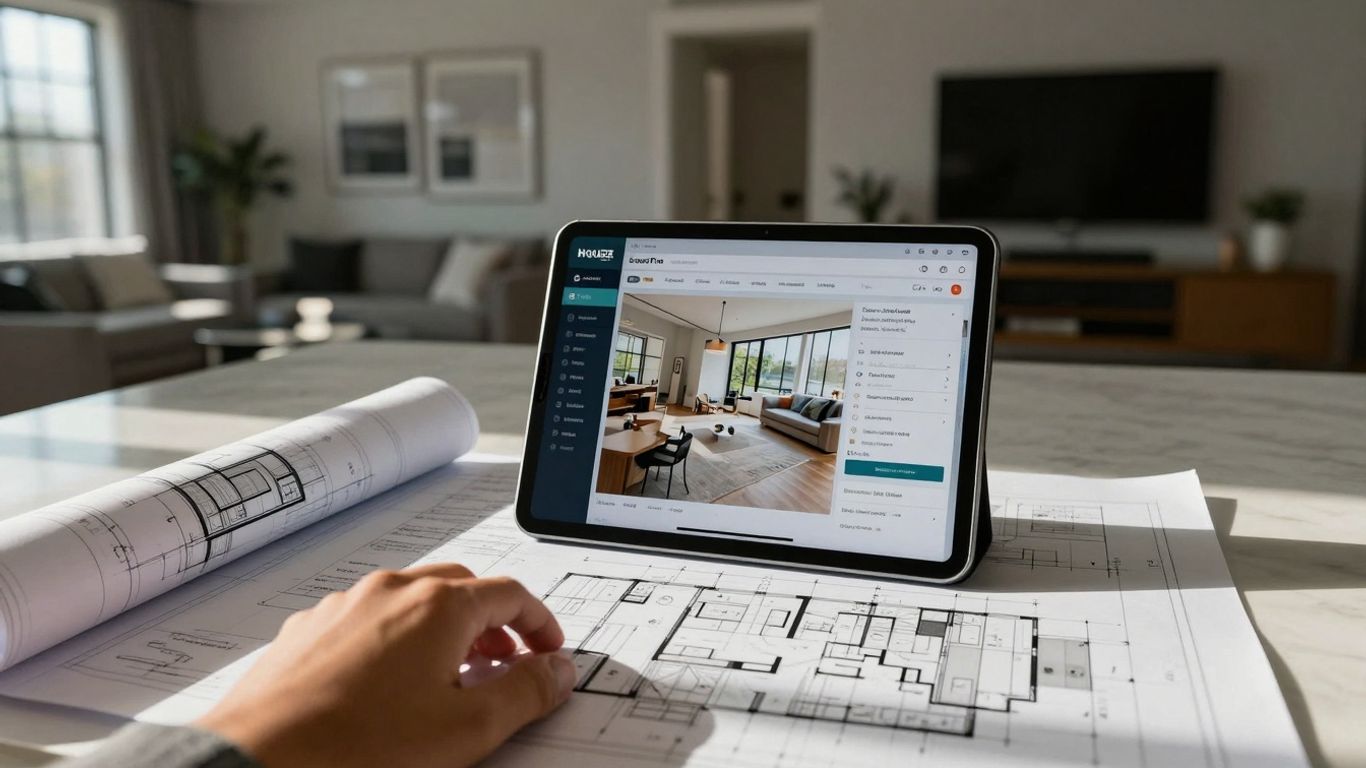
Keeping clients in the loop can feel like a juggling act, right? Houzz Pro offers some neat ways to make that whole process smoother. It's all about making sure everyone's on the same page, from the initial idea to the final walkthrough.
Houzz Pro For Client Approval
Getting that sign-off from clients can sometimes be a sticking point. Houzz Pro helps streamline this by providing clear, visual ways for clients to review and approve project stages. Think of it as a digital handshake that confirms everyone agrees on the direction.
- Visual Approvals: Clients can see exactly what's being proposed, whether it's a design concept or a material selection, and give their thumbs up or suggest changes.
- Centralized Feedback: All comments and approvals are kept in one spot, so you don't have to hunt through emails or texts.
- Digital Signatures: For those formal agreements, digital signatures add a layer of official confirmation.
Making sure clients feel heard and involved throughout the project builds trust and can prevent misunderstandings down the line. It’s about transparency.
Houzz Pro Collaboration Tools
Beyond just approvals, Houzz Pro has tools designed to make working with your clients feel less like a chore and more like a partnership. It’s about sharing information easily and keeping communication flowing.
- Shared Project Spaces: Clients get access to a dedicated space where they can see project updates, files, and messages.
- Real-time Updates: As you update project details, clients can see the progress, which helps manage expectations.
- File Sharing: Easily share documents, photos, and other project-related files directly within the platform.
Houzz Pro Life-Sized Walkthroughs
This is where things get really interesting. Houzz Pro's Life-Sized Walkthroughs let you present your designs to clients in a way that feels incredibly real. It's a step beyond just looking at flat drawings or even 3D models on a screen. You can actually guide clients through a virtual representation of their future space, giving them a true sense of scale and design. This feature is fantastic for helping clients visualize the final outcome and get excited about the project. It’s a powerful way to get them invested and make sure the design truly matches their vision before any construction begins. You can even use this to showcase your design and get early feedback.
Leverage Houzz Pro For Project Execution
Getting a project from the drawing board to completion can feel like a juggling act. Houzz Pro steps in to make this process smoother, offering tools that help you manage the day-to-day grind of construction and design work. It's about keeping things on track and making sure everyone involved knows what's happening.
Houzz Pro Estimates and Takeoffs
Figuring out costs and material needs is a big part of any project. Houzz Pro's estimation tools help you put together detailed bids. You can measure spaces right in the software, sometimes with AI assistance, to get a handle on what materials you'll need. This means fewer surprises down the line and more accurate pricing for your clients. It simplifies the whole process, letting you send out professional-looking documents that combine all the project details in one spot. This is super helpful for saving time and staying organized.
Houzz Pro Scheduling Tools
Keeping a project on schedule is key. The scheduling tool in Houzz Pro lets you plan out different phases of your project. You can set up tasks, see how they connect, and even save templates for common project types. It offers different views, like a calendar or a list, so you can see everything at a glance. You can also assign tasks to your team members or subcontractors, making sure everyone knows their responsibilities. Having a clear schedule helps keep things moving and prevents delays. It's like having a roadmap for your entire project, from start to finish.
Houzz Pro Selections Tool Deep Dive
Choosing finishes, fixtures, and materials can get complicated, especially when you're working with clients. The Selections tool is designed to make this easier. It helps you present options to your clients in a clear way, allowing them to review and approve selections. This keeps the decision-making process organized and documented, reducing the chances of misunderstandings or changes later on. You can manage all these choices in one place, making it simple to track what's been picked and what still needs attention. This part of the process is often a bottleneck, but Houzz Pro aims to clear that up.
Managing the execution phase of a project requires clear communication and organized documentation. Houzz Pro provides a central hub for these critical elements, helping to keep both the professional and the client aligned throughout the build process.
This approach helps ensure that projects are not only completed efficiently but also meet the client's expectations from start to finish. It's about bringing order to the often-chaotic world of home renovation and design projects, making the execution phase less stressful for everyone involved. You can find more information about project management tools on Houzz Pro.
Attract And Win Clients With Houzz Pro
Houzz Pro gives you a few ways to get noticed by people looking for help with their homes. It's not just about having a nice profile; it's about showing up where potential clients are searching.
Houzz Pro For Business Growth
Think of Houzz Pro as your digital storefront, but way bigger. It connects you with millions of homeowners actively looking for professionals like you. Having a complete profile with good photos and client reviews really makes a difference. It helps people see what you do and trust you before they even call.
Houzz Pro Targeted Advertising
Sometimes, you need to give your business a little boost. Houzz Pro offers advertising options that let you reach homeowners specifically interested in the kinds of projects you handle. This means your ads are seen by people who are more likely to hire you, saving you time and marketing money. It's about getting your name in front of the right eyes.
Houzz Pro Professional Website Tools
Your website is often the first impression a client has. Houzz Pro can help you build or improve your professional website. This means you get a site that looks good, works well on phones, and clearly shows off your past work. A strong website builds credibility and makes it easier for clients to contact you and learn about your services.
Maximize Profitability With Houzz Pro

Running a business in the design and build world means keeping a close eye on the bottom line. It’s not just about doing good work; it’s about making sure that good work actually pays off. Houzz Pro has some features that really help with this, making it easier to see where your money is going and where you can make more.
Houzz Pro Protect Margins
Keeping your profit margins healthy is key. Houzz Pro helps you do this by giving you clear visibility into your project costs. When you're putting together estimates, you can be more precise, which means fewer surprises down the road. This helps avoid those situations where you end up doing more work than you planned for the price you quoted. It’s about setting realistic expectations from the start, both for yourself and your clients.
Houzz Pro Track Expenses
Tracking expenses can feel like a chore, but it’s super important. Houzz Pro lets you log all your project-related costs right as they happen. You can categorize expenses, attach receipts, and see exactly how much you're spending on materials, labor, and subcontractors for each job. This kind of detail is gold for understanding your actual project costs and making sure you're not losing money on any part of the project. It’s like having a financial assistant built right into your project management system.
Houzz Pro Financial Reports
Getting a handle on your business's financial health is easier with Houzz Pro's reporting tools. You can generate reports that show your project profitability, track income versus expenses, and see your overall financial performance. These reports give you the big picture, helping you make smarter decisions about pricing, resource allocation, and future business planning. For example, you might notice that certain types of projects consistently bring in higher profits, or that a particular supplier is costing you more than expected. This kind of insight is what separates a struggling business from a thriving one. You can even connect with tools like QuickBooks Online to keep your financial data in sync, making tax season a lot less stressful. See financial reports.
Making smart financial decisions doesn't have to be complicated. By using the right tools to track your spending and understand your profits, you can build a more stable and successful business. It's about being proactive rather than reactive when it comes to your money.
Access Award-Winning Houzz Pro Support
Sometimes, even with the best tools, you hit a snag. That’s where Houzz Pro’s support team comes in. They’ve been recognized with a Stevie Award, which is a pretty big deal for customer service and innovation. It means they’re serious about helping you out when you need it.
Houzz Pro Online Chat Support
If you need a quick answer, the online chat is usually the fastest way to go. You can type in your question and get a response without having to pick up the phone. It’s great for those moments when you’re in the middle of a task and just need a little nudge in the right direction.
Houzz Pro Email And Phone Assistance
For more involved issues, or if you just prefer talking things through, email and phone support are available. You can submit a help ticket via email, and they’ll get back to you. Phone support is available Monday through Friday, from 6 AM to 5 PM Pacific Time. They’re there to help troubleshoot or sort out any problems you might run into.
Houzz Pro Help Center Resources
Before you even reach out, it’s worth checking out the Help Center. It’s packed with articles, video tutorials, and webinars that cover pretty much everything. You can access these resources anytime, 24/7, so you can often find the solution yourself. It’s a really good place to get familiar with all the features and how to use them effectively. You can even find resources for press inquiries if you need them.
Having reliable support makes a big difference when you're running a business. It means you're not stuck if something goes wrong, and you can keep your projects moving forward without too much delay. Knowing there are people ready to help makes using new software a lot less stressful.
Integrate Houzz Pro With Your Workflow
Houzz Pro QuickBooks Integration
Keeping your finances straight can be a real headache, right? Houzz Pro gets that. It connects directly with QuickBooks Online, which means all those numbers from your projects – like expenses and payments – can be automatically saved. No more typing things in twice. This saves a ton of time and cuts down on those annoying little mistakes that can happen when you're juggling a lot. It’s like having a little helper that makes sure your financial records are always up-to-date without you having to do all the manual work.
Houzz Pro Calendar Sync Options
Your schedule is probably packed, and you need your calendar to keep up. Houzz Pro lets you sync with calendars you likely already use, like Google Calendar, Outlook, iCloud, and Exchange. This means all your project deadlines, client meetings, and team tasks show up in one place. You can see everything at a glance, whether you're on your computer or your phone. It helps make sure you don't miss a beat and keeps everyone on your team aware of what's happening when.
Houzz Pro Gmail Lead Management
When new leads come in through Gmail, Houzz Pro can help manage them right away. Instead of just having emails sitting in your inbox, you can connect them to Houzz Pro. This way, you can easily track potential clients, see their project details, and follow up without losing track. It turns your email inbox into a more organized system for bringing in new business.
Keeping your business tools talking to each other makes a huge difference. It stops you from doing the same task over and over and lets you focus on the actual work of building and designing. When your software works together, your whole day runs smoother.
Here's a quick look at what you can connect:
- QuickBooks Online: For automatic financial data transfer.
- Google Calendar, Outlook, iCloud, Exchange: For syncing your project schedules.
- Gmail: To help manage incoming leads more effectively.
Want to make your work smoother? Connecting Houzz Pro to your daily tasks can really help. It's a great way to keep everything organized and make your projects flow better. Ready to see how it can fit into your routine? Visit our website to learn more and get started today!
Wrapping Up Your Project Planning
So, there you have it. Houzz really does offer a bunch of free tools that can make planning your next home project way less stressful. From getting ideas down to figuring out costs and making a plan, it's all there. It’s like having a helpful guide right at your fingertips, making sure you don't miss any steps. Give them a try for your next renovation or design job – you might be surprised how much easier it makes things.
Frequently Asked Questions
What kind of free tools does Houzz offer for home projects?
Houzz has a bunch of free tools to help you plan your home projects. You can get inspired by looking at tons of pictures, make a plan using their tools, and even get checklists to make sure you don't miss anything.
How can Houzz help me figure out my style and budget?
Houzz has a fun style quiz that helps you understand what you like. They also have a cost calculator that gives you an idea of how much similar projects cost in your area, which is super helpful for setting a budget.
What are Ideabooks on Houzz?
Ideabooks are like digital scrapbooks where you can save all the cool ideas, photos, and products you find on Houzz or anywhere else on the web. It's a great way to keep all your inspiration in one spot.
Can Houzz help me keep my project organized?
Yes! Houzz offers a project dashboard where you can see everything related to your project. You can also create a product list for items you want to buy and use checklists to stay on track.
What is Houzz Pro, and who is it for?
Houzz Pro is a special set of tools designed for people who work in building and design, like contractors and interior designers. It helps them manage their businesses, connect with clients, and handle projects more smoothly.
How does Houzz Pro help with client communication?
Houzz Pro has features that make it easier to work with clients. You can share project plans, get approvals, and even do virtual walkthroughs to show them your ideas in a really clear way.
Can Houzz Pro help me with the financial side of my business?
Absolutely. Houzz Pro has tools to help you create estimates, track your expenses, and manage payments. This helps make sure your projects are profitable and your business stays on track financially.
What kind of support does Houzz Pro offer?
Houzz Pro provides several ways to get help. You can chat with someone online, send an email, or call them. They also have a Help Center with articles and videos if you prefer to find answers yourself.
Consultation Today!